Coming to Kickstarter — Q3 2026

Turn the knob.
Your time tracks itself.

A physical desk device that switches your virtual desktops and logs your billable hours automatically. No clicks. No friction. No subscriptions.
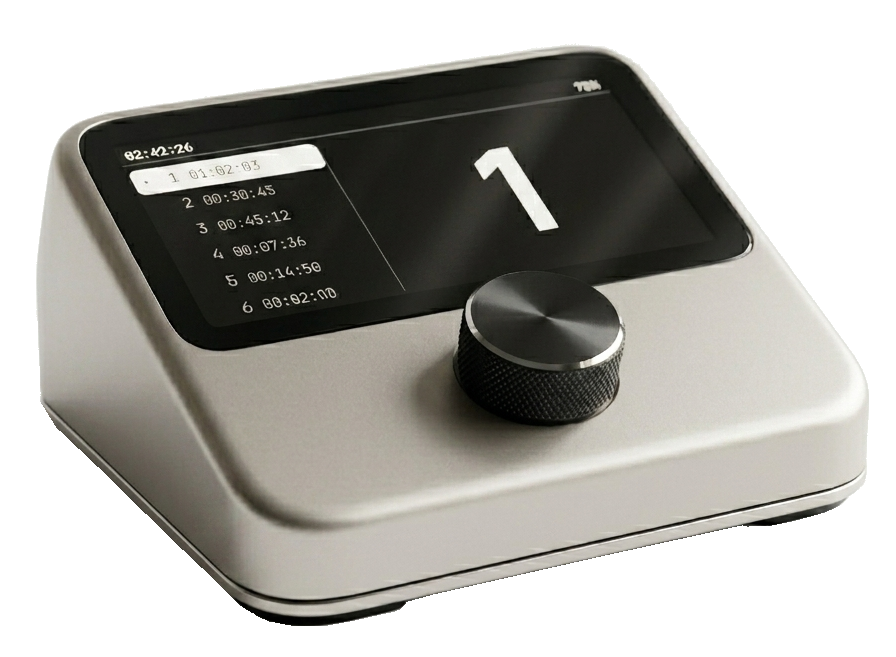
Context Switcher device
2.7" OLED
12H ACTIVE + 30 DAYS STAND BY
Bluetooth BLE
No subscription Free EU shipping Win + macOS SKU CS-01
The problem

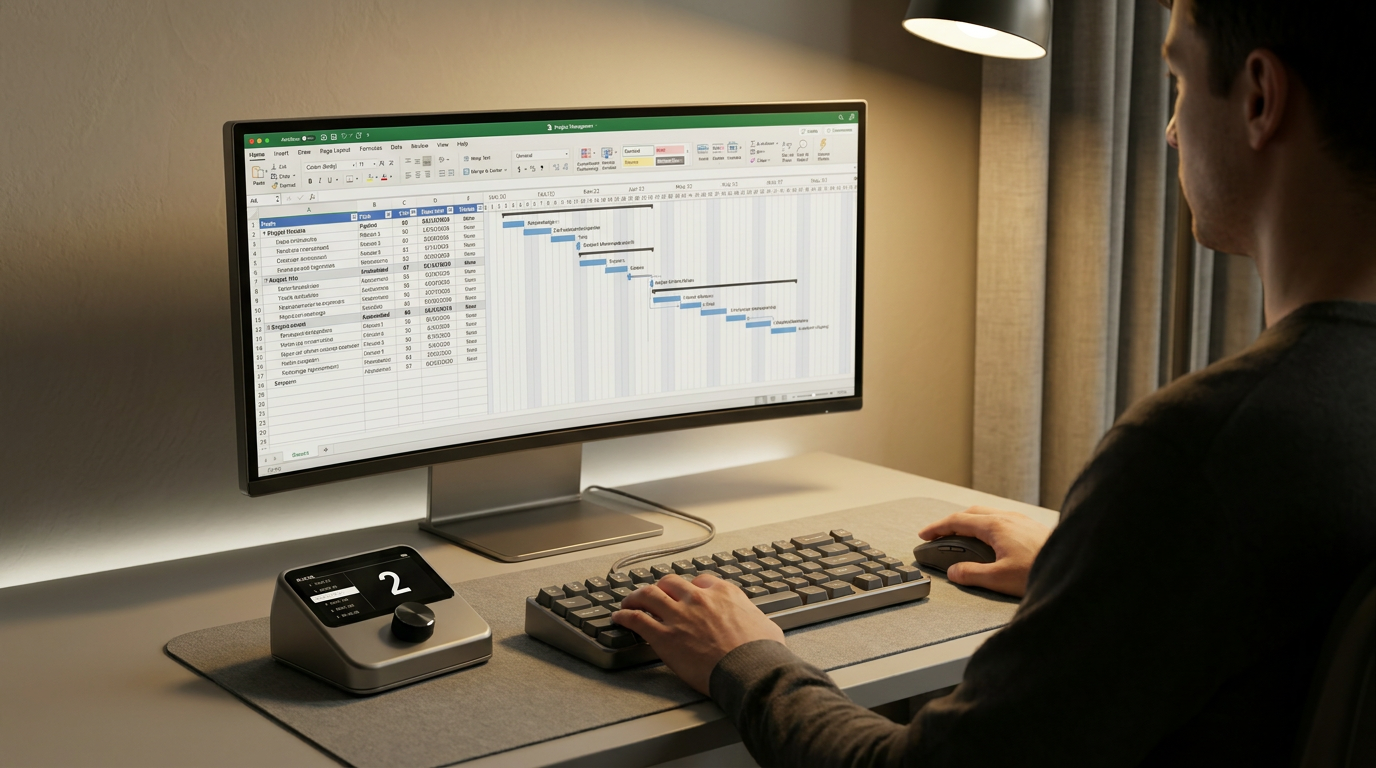
You manage 4 clients, 3 side projects, and a full-time job. Your time tracker doesn't know where you are.

Every context switch is manual. Click the taskbar. Find the window. Start the timer. Every single time. It adds up — and your billing suffers.

6 6
Project slots
on the OLED display
< <100ms
Desktop switch
response time
49
Early Bird price
(only 100 units)
0 0
Monthly fees.
Ever.
Live demo

Watch it work. Then try it yourself.

Drag the knob, click any desktop card, or rename your projects below. The OLED screen updates instantly.

client-a / dashboard.tsx
1import React from 'react'
2export const Dashboard = () => {
3  return <main>
4    <Chart data={kpi} />
5  </main>
6}
#client-a · Slack
SaraShip by Friday?
YouOn it. Demo at 4.
Sara🙌
Acme · Landing.fig
acme.com · Safari
~ / side-proj — zsh
$ npm run dev
▲ Next.js 14.2.3
Local: http://localhost:3000
✓ Ready in 1.2s
✓ Compiled / in 320ms
$ _
localhost:3000
Bills · Invoices Q2.xlsx
#ClientHoursAmountStatus
001Client A42.0€2,940Paid
002Acme18.5€1,295Paid
003Side proj31.2€0Internal
004Client A27.8€1,946Pending
005AcmeDraft
Inbox — 14 unread
Inbox 14
Sent
Drafts
Archive
Sara · AcmeRe: Friday milestone
StripePayment received €2,940
MarcCoffee next week?
GitHub3 new pull requests
Client AInvoice question
Spotify · Deep Focus
Slow Mornings
Various Artists · Deep Focus
1:423:58
DESKTOP 1 / 6
14:3221/05/2026
02:42:26
75%
1-01:02:03
2-00:30:45
3-00:45:12
4-00:07:36
5-00:14:50
6-00:02:00
1
Your 6 virtual desktops Edit names
1
Client A
01:02:03
2
Acme
00:30:45
3
Side proj
00:45:12
4
Bills
00:07:36
5
Email
00:14:50
6
Break
00:02:00
Now tracking
Side proj · timer running
Try: to switch · Space to pause · E to edit names
How it works

Three seconds. Zero friction.

01 / TURN

Rotate the knob

Turn the encoder to your next project. The OLED highlights it with a live timer and large project number — visible from across the room.

02 / SWITCH

Desktop jumps

The companion app jumps to the matching virtual desktop via Bluetooth BLE in under 100ms. Windows 10/11 and macOS 12+.

03 / TRACK

Time tracks itself

Previous timer pauses. New timer starts. Your hours are always accurate, always up to date — without a single click.

Context Switcher on a desk next to a keyboard
On your desk

Smaller than a coaster.
Always within reach.

10 × 10 × 4 cm of brushed aluminium. Sits next to your keyboard. The only thing on your desk that knows what you're working on right now.

200gWeight
USB-C+BLEConnection
Features

Designed for focus.

Instant desktop switching

Jump to any of your 6 virtual desktops in under 100ms. No keyboard shortcuts. No taskbar archaeology. One physical action: turn.

Automatic time tracking

Turn the knob — old timer stops, new one starts. Your billable hours are precise to the second. Export CSV anytime.

Bluetooth BLE 4.2

No cables. No dongle. Pair once.

All-day battery

LiPo 3.7V. 12+ hour runtime.

Win + macOS Day 1

Real installer. No terminal.

Zero distraction

OLED shows everything you need.

Private by design

No cloud account. No telemetry. No data collection. Your project names, hours, and habits never leave your machine — period.

Specifications

Built to last. Click a spec to highlight.

Context Switcher hardware
Dimensions10 × 10 × 4 cm
Weight200 g
Display2.7" OLED
InputEC11 Encoder + Push
MCUESP32-WROOM-32
WirelessBluetooth BLE 4.2
PowerLiPo 3.7V · USB-C
Runtime12 h active · 30 d standby
OSWin 10/11 · macOS 12+
EnclosureABS
Compatibility

Works with your setup.

Install the lightweight companion app once. Pair. That's it.

Windows 10 / 11

Day 1 support

Virtual Desktop switching works natively. The companion app runs silently in the system tray. Standard .exe installer — anyone can run it.

1
Download .exe installer
2
Run & pair the device
3
Name your 6 desktops
4
Start turning the knob

macOS 12 Monterey or later

Day 1 support

Works with Mission Control Spaces via the standard accessibility API. Enable keyboard shortcuts for Spaces in System Settings — takes 30 seconds, walkthrough included.

1
Download .dmg installer
2
Enable Spaces shortcuts
3
Run & pair the device
4
Start turning the knob
Kickstarter pricing

Back it. Lock your price.

Early Bird tier is capped at 100 units. After that, standard price kicks in.

Standard
59
 
launch price · inc. VAT
  • Context Switcher device
  • Win + macOS app
  • Free EU shipping
  • Lifetime updates
Duo Pack
109
2× €59 · save €9
two devices · inc. VAT
  • 2× Context Switcher
  • 2× app licenses
  • Free EU shipping
  • Lifetime updates
FAQ

Questions, answered.

Do I need to install anything?
Yes — a small companion app. It installs like any normal application: download the .exe (Windows) or .dmg (macOS), double-click, done. Runs silently in the background. No Python, no terminal, no technical setup.
Will it work with my PC or Mac?
Yes. Standard Bluetooth BLE 4.2 — any computer with built-in Bluetooth or a cheap USB BLE dongle works. No special hardware required.
What if I use fewer than 6 projects?
No problem. Use as many slots as you need; unused ones stay blank. Rename slots anytime from the companion app — changes appear on the OLED instantly.
When does it ship?
Targeting 4–5 months after the campaign funds. Manufacturing starts only once we hit the goal — this protects both us and backers. Exact dates confirmed during the campaign.
Is there a subscription?
No. One-time purchase, lifetime software updates included. No cloud account, no monthly fee, no telemetry. Your data stays on your machine.
International shipping?
Free shipping within the EU/EEA. International (US, UK, Canada, AUS, etc.) available as an add-on at cost. Confirmed during the campaign.
Can I export my tracked hours?
Yes. CSV export from the companion app for any date range. Also a JSON endpoint for syncing to Toggl/Clockify/Harvest if you want.
Don't miss Early Bird

Be first.
Pay less.

Join the waitlist. Get exclusive Early Bird access — €49 vs €59 launch — the moment we go live on Kickstarter.

You're on the Early Bird list. We'll email when we launch.

No spam · Unsubscribe anytime · Your data stays private

MK
JR
AT
SV
+100 people on the waitlist

Tweaks

Accent color
Hero density
Reduce motion